Installation
How to install NobodyWho and start building.
Via Asset Library
- Open Godot 4.5 (or any newer 4.x release).
- Switch to the Asset Library tab.
- Search for “NobodyWho” and select the entry.
- Click Download, tick Ignore asset root, then choose Install.
- Godot puts the plugin in
res://addons/nobodywho. Open Create Node and you should seeNobodyWhoChat. If it’s missing, restart Godot and try again.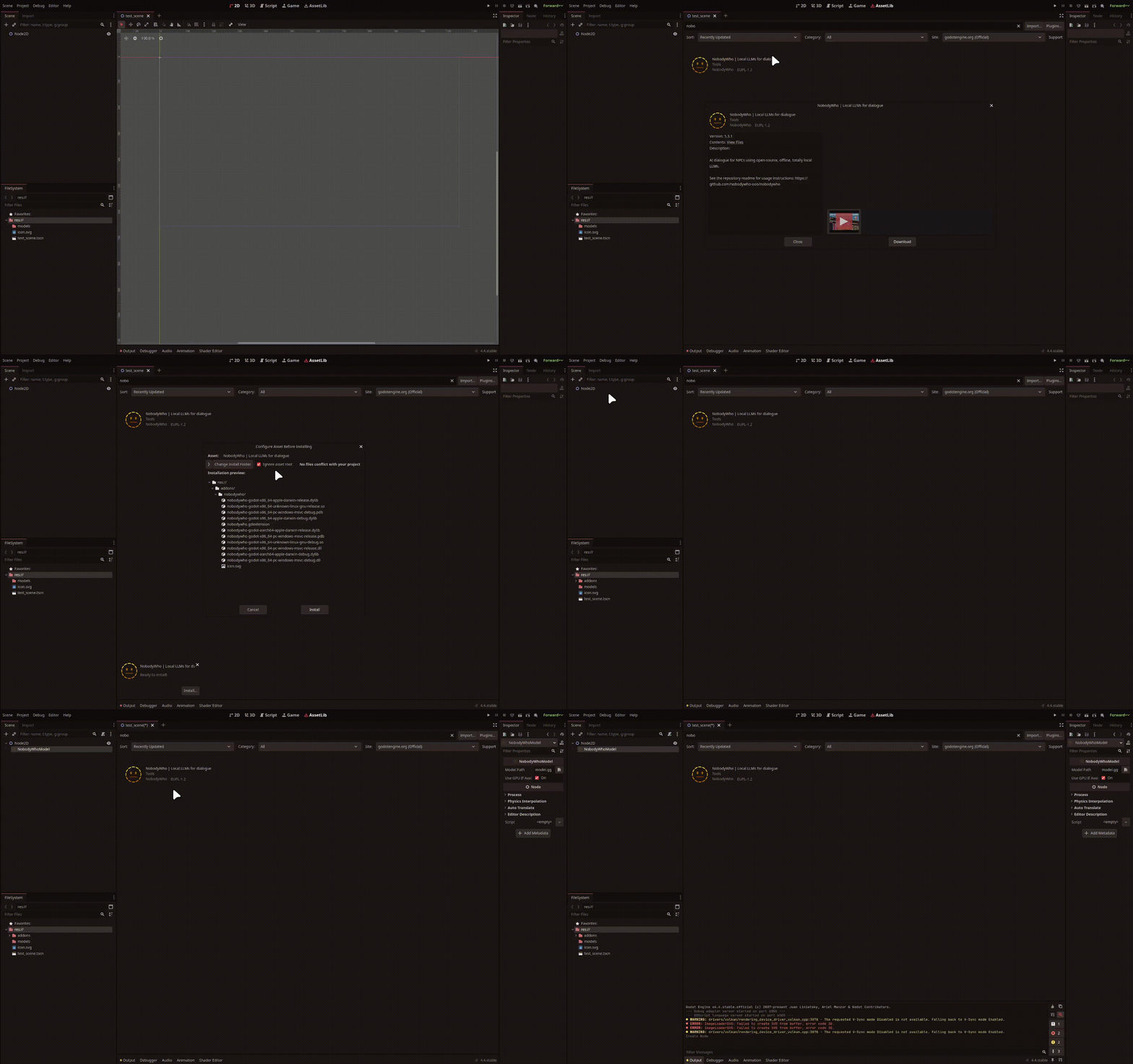
Via GitHub
- Download the latest ZIP from the GitHub releases.
- In Godot, open AssetLib ▸ Import and pick the ZIP.
- Tick Ignore asset root and finish the import.
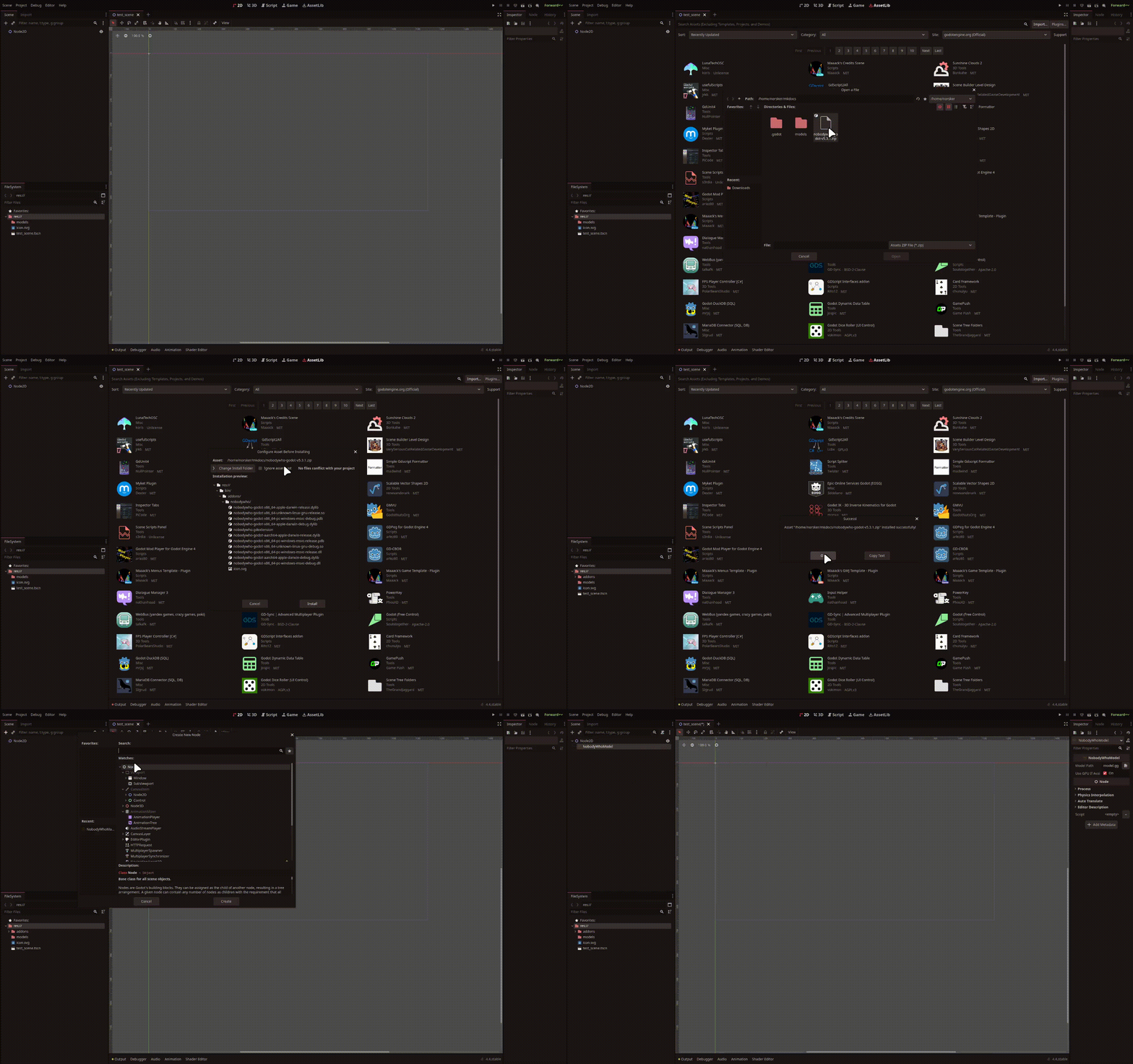
After installation, NobodyWho’s nodes should appear in your editor. If not, retrace your steps above or reach out on Discord or GitHub - we are there to help.